
Support account protection
Use two-factor sign-in as part of how you protect your coaching workspace.
Two-factor sign-in supports the protection of the coach account used to access shared client information.
Every coaching feature is included in every plan. Choose the client and team capacity you need.
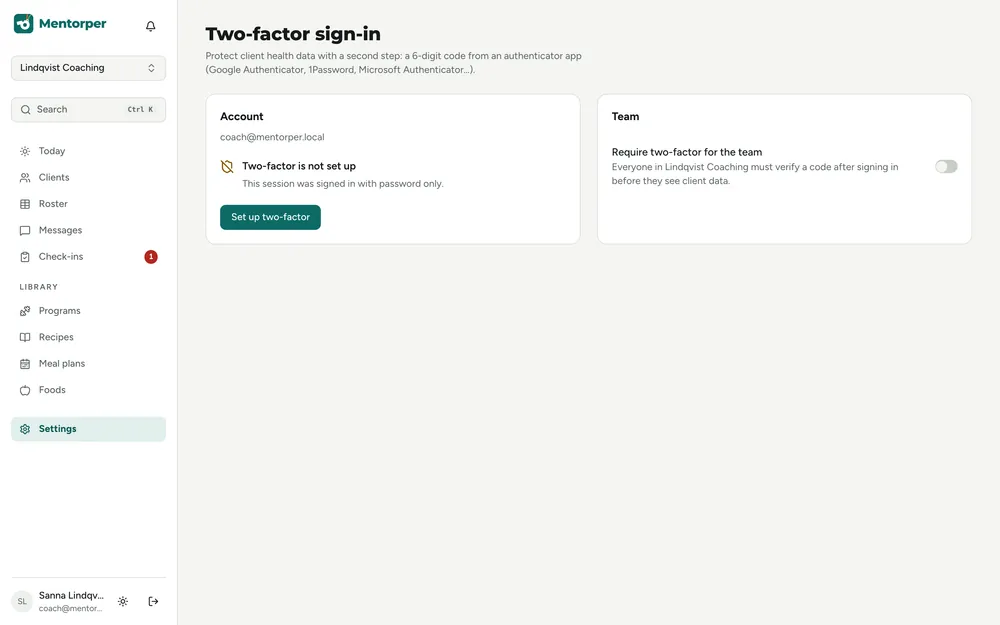
The coach account is a doorway to information clients have chosen to share. Two-factor sign-in gives coaches an additional layer when accessing that account.
Use two-factor sign-in as part of how you protect your coaching workspace.
Team roles and account access serve different purposes. Keep both in mind when organising a shared practice.
Two-factor sign-in is included in every plan alongside the other coaching features.
A practical way to use this capability in your coaching.
Identify how you and your team use accounts to carry out coaching work.
Include the additional sign-in layer in your approach to protecting the coach account.
Consider team roles and the client’s sharing choices alongside account protection.
Two-factor sign-in concerns access to the coach account. Once in the workspace, the coach sees information the client has chosen to share.
Owner, admin, coach, assistant and read-only roles support different team responsibilities. Ask us for the available authentication methods or account-recovery details before relying on a particular setup.
Sign-in, team responsibilities and client sharing each have a role in the workspace.
Contact us for the supported two-factor methods and account-recovery details.
No. The client continues to choose which areas of information they share with the coach.
Try the full workspace with a 30-day Pro trial. No card needed.