
Start from your existing practice
Use client import when setting up the workspace for people you already coach.
Use client import as part of preparing your existing client relationships for a new workspace.
Every coaching feature is included in every plan. Choose the client and team capacity you need.
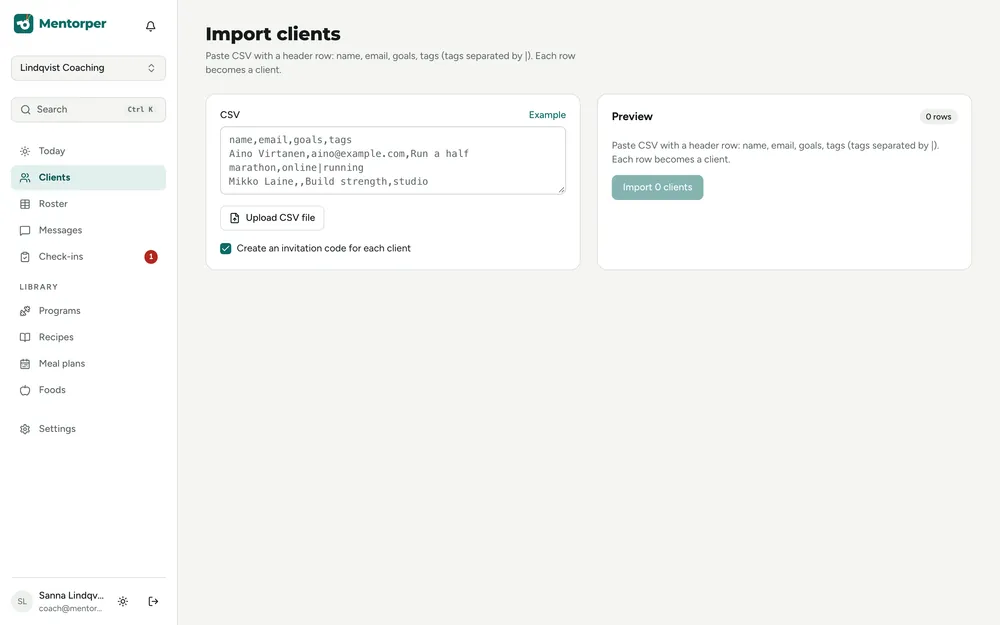
Moving your coaching work involves more than creating a client list. Client import helps with that practical starting point while you prepare the relationships around it.
Use client import when setting up the workspace for people you already coach.
Treat the move as a chance to check which client information is relevant to the coaching relationship.
Client import is included in every plan. Choose your plan around client capacity and team needs.
A practical way to use this capability in your coaching.
Review the client information you need and confirm the supported import options before proceeding.
Use client import as part of your Mentorper setup.
Review the result and explain how clients choose what to share from their connected apps.
Client import supports workspace setup. Give clients a clear explanation of how Mentorper relates to Bodyper and Eatper and how you will work together.
The available import methods and supported information need to be confirmed for your situation. Contact us for those details before planning the move around a particular file or workflow.
Review the information and discuss the move with clients before getting started.
Contact us to confirm supported import options for your situation before preparing a file.
Clients choose what to share from connected apps. Explain those choices as part of starting in the new workspace.
Try the full workspace with a 30-day Pro trial. No card needed.